Start Screen Sharing
Click the Share Screen icon in the Bottom Bar to open the source picker. Sources are organized into categories — Monitors, Application Windows, Inputs, and NDI.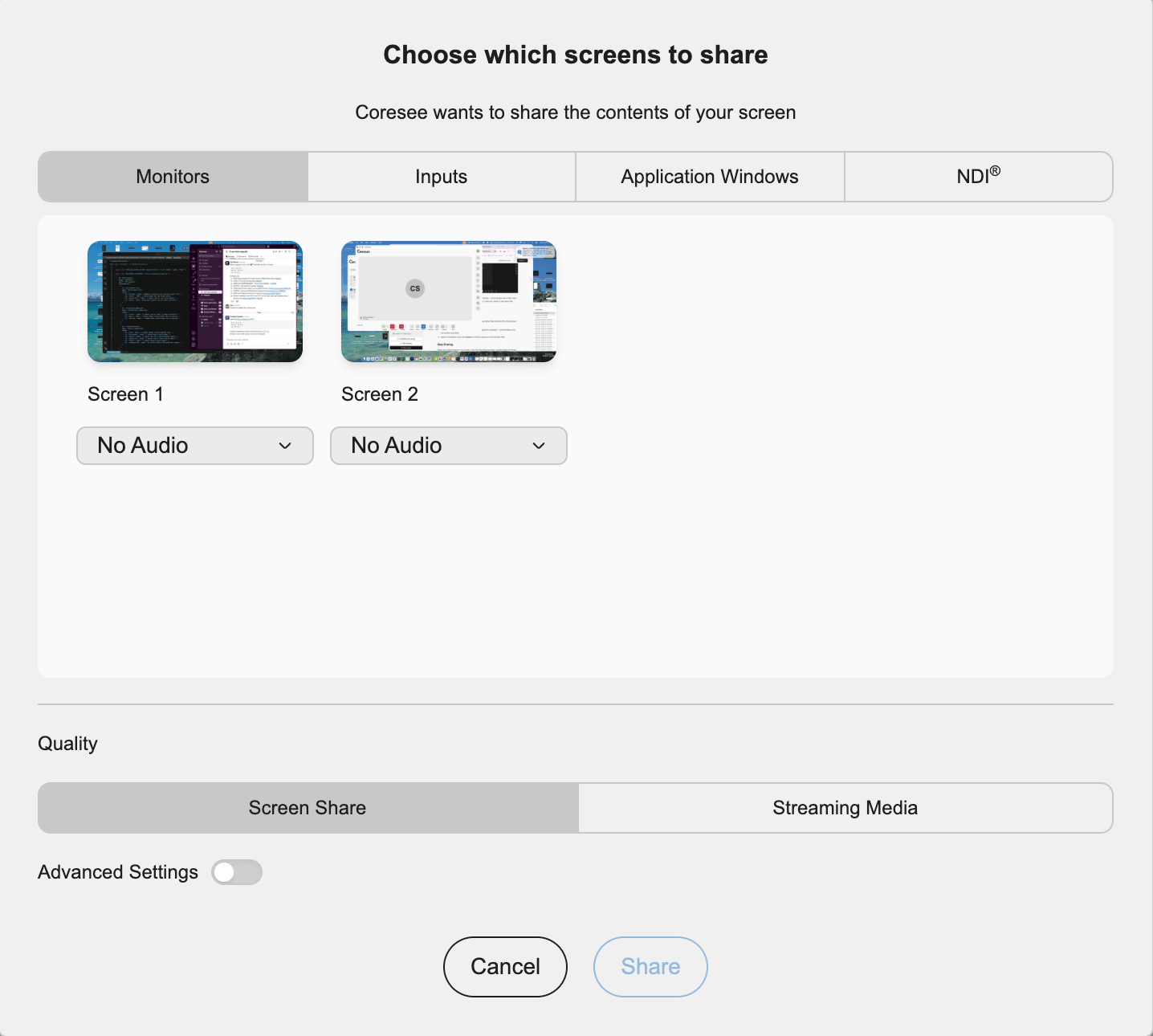
Monitors
Every display connected to your device, shown as a thumbnail. Selecting one shares that entire screen — everything on it, including other open apps and notifications.
Application Windows
Every open application window on your device, each with a live thumbnail. Selecting one shares just that window’s contents, without the rest of your desktop.
Inputs
Cameras connected to your device — webcams, capture cards, document cameras, or any other video input your device can see. Use this when you want to share a physical camera feed rather than your screen’s contents.
NDI
NDI (Network Device Interface) sources are video feeds broadcast by other NDI-enabled devices or software on your local network — production cameras, PTZ controllers, switchers, or other software with NDI output. The desktop app scans the network and lists the NDI sources you currently have access to.
- What shows up here depends on your network: the source device or software needs to be on the same network as your computer and actively broadcasting.
- Selecting an NDI source shares that feed to the room, the same way a monitor or window selection would.
- This is aimed at production-style setups — pulling a professional camera or graphics feed directly into a Coresee room without a physical capture card in between.
Quality: Screen Share vs. Streaming Media
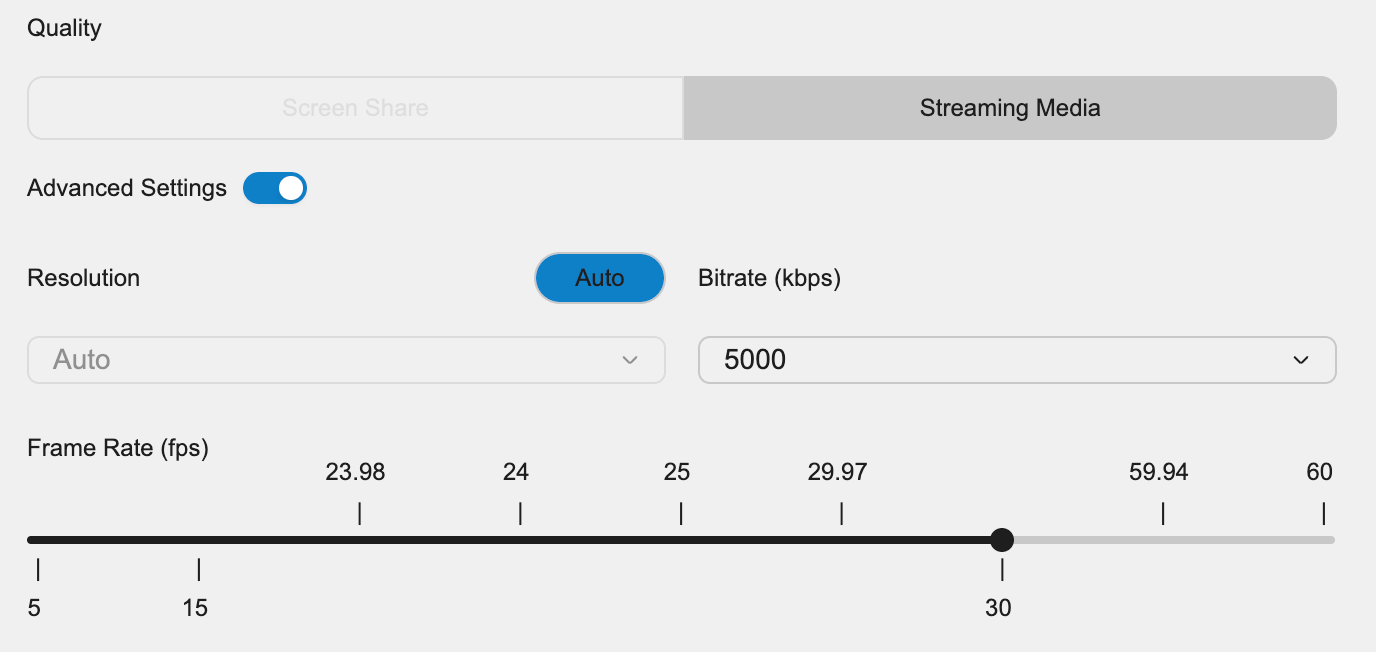
Before confirming your share, choose one of two quality modes. Which one fits depends on what kind of source you’ve selected and how much control you need over it.Screen Share
The default mode. Treats your share as transient — a quick, real-time feed that starts and stops with your session, the same way a standard screen or window share behaves.
Streaming Media
Built for higher-end sources like production cameras or dedicated encoders. Routes the feed through a streaming protocol — RTMP, SRT, or RTSP — and gives you finer control over frame rate and quality than Screen Share mode.
Advanced Settings
Toggle Advanced Settings to fine-tune the technical parameters of your share instead of relying on the defaults.