What counts as a session? A session is one continuous open-to-close cycle for a room. It starts when the first person joins, and ends when the room is closed or the last remaining person leaves — whichever happens first. If someone rejoins after a session has ended, that starts a new session with its own start time. There’s no limit to how many sessions a room can accumulate; they’re kept until a host or co-host deletes them.
Who can use it?
- Hosts and co-hosts have full access and share the exact same permissions.
- Participants do not see Room History — the section is hidden from their Side Panel entirely.
Viewing a Session
Room History has two areas: a session list at the top, and an events area below it that updates to show whichever session you’ve selected.Session row
Each row in the session picker shows:- Date and duration of the session
- Participant count
- Files uploaded — a count, shown only if files were uploaded during the session
- Recordings — a count, shown only if a recording was captured during the session
Ongoing sessions. If a session is still in progress, its row shows CURRENT SESSION in place of the timestamp and duration.
Events
A chronological, timestamped feed of everything that happened in the session, with each event attributed to the person who triggered it.- Timestamps are stored in UTC and always shown in your own local timezone.
Filtering the Event Log
The event log can be narrowed by event type and by a search field.Exporting a Session
Session history can be exported as a CSV file. The Export control sits below the event log and currently exports the events matching your active filters — if you’ve filtered the log down to Recording events only, for example, the export contains only those events.Deleting a Session
Hosts and co-hosts can delete an entire session record.- Deletion applies to the full session — individual events within a session can’t be deleted on their own.
- Deletion is permanent and requires a confirmation step — there’s no undo.
- Deleted sessions no longer appear in the session list.
Turning Logging On or Off
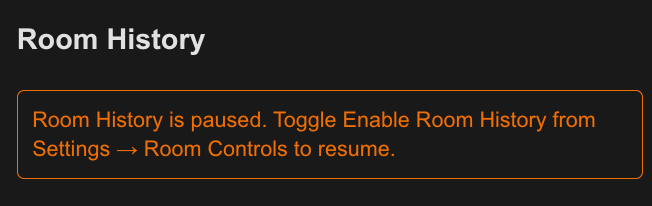
You can pause Room History logging from Settings → Room Controls, available in both the room and homepage contexts.- Logging is On by default.
- When Off, no new session events are logged — but your existing session records stay viewable, filterable, and exportable.
- Turn it On again to resume logging starting with the next session.
While logging is off, you’ll see the following notice: