> ## Documentation Index
> Fetch the complete documentation index at: https://help.coresee.com/llms.txt
> Use this file to discover all available pages before exploring further.
# Remove a Participant
Removing a participant takes them out of the room, either from the live session that's in progress or from the room's participant list, depending on where the removal happens.
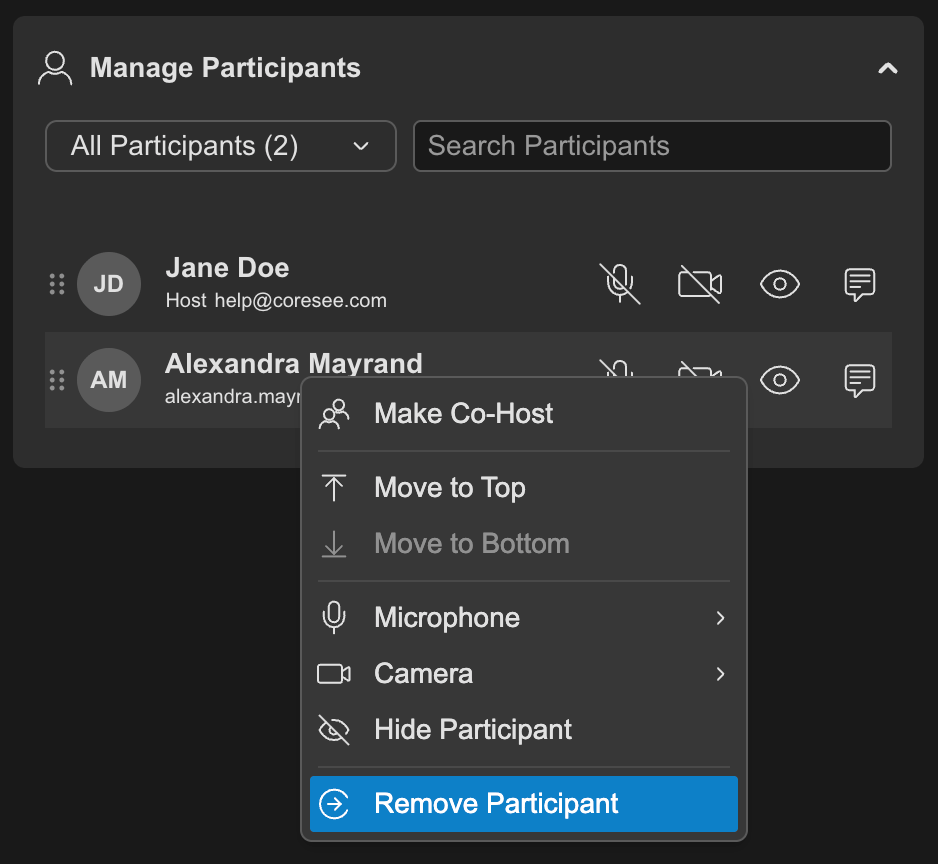
You can remove a participant from the [Side Panel's Participants tab](/help/control-panel/participant-tab), or — while in a live session — directly from their video [tile](/help/room-basics/what-is-a-tile).
## **Two ways to remove a participant**
Removal is available from two surfaces. Which ones you see depends on whether you're in a session or managing the room from the homepage.
### **Side Panel — Participants tab**
Every participant row has a contextual menu with a **Remove** option. This surface is available both inside a live session and from the homepage, since the Participants tab and its list exist whether or not a session is running.
 ### **Tile menu**
During a live session, hovering a participant's video tile reveals a three-dot menu directly on the tile. This menu also includes a **Remove** option, alongside other per-participant controls like mute and visibility. It's a quicker path when you're looking at the room layout rather than the participant list, but it only exists while a session is active.
### **Tile menu**
During a live session, hovering a participant's video tile reveals a three-dot menu directly on the tile. This menu also includes a **Remove** option, alongside other per-participant controls like mute and visibility. It's a quicker path when you're looking at the room layout rather than the participant list, but it only exists while a session is active.